Ethernet Printers to Connect Mac
2024-11-15 18:04:49
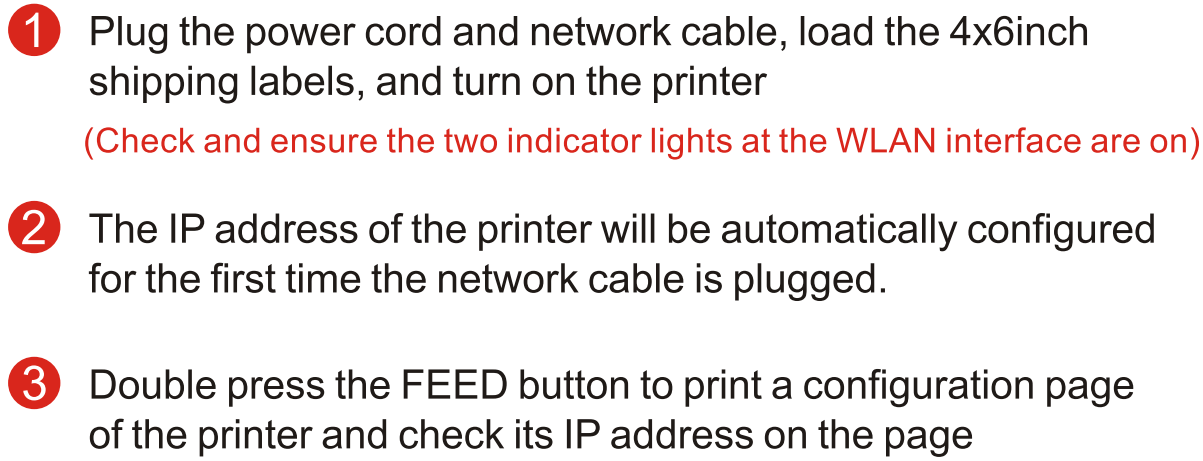
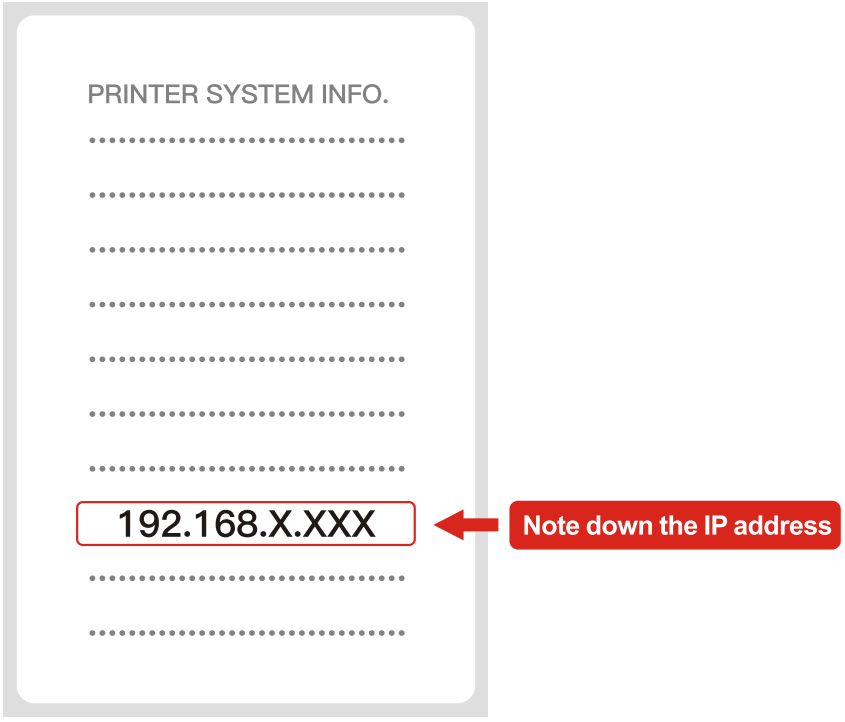
Step 1: Configure a network IP address
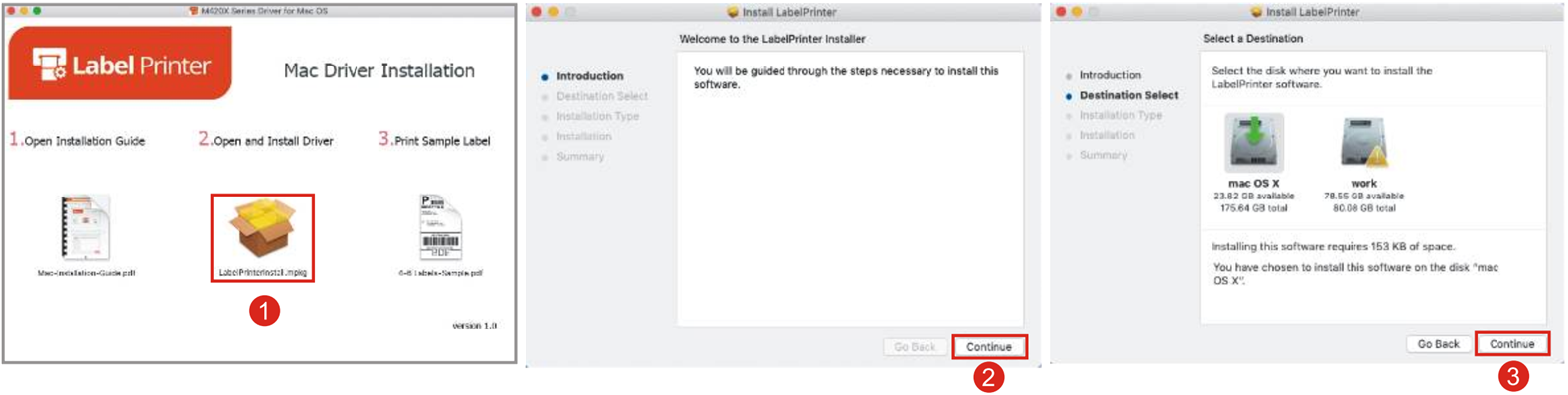
Step 2: lnstall the driver on a Mac
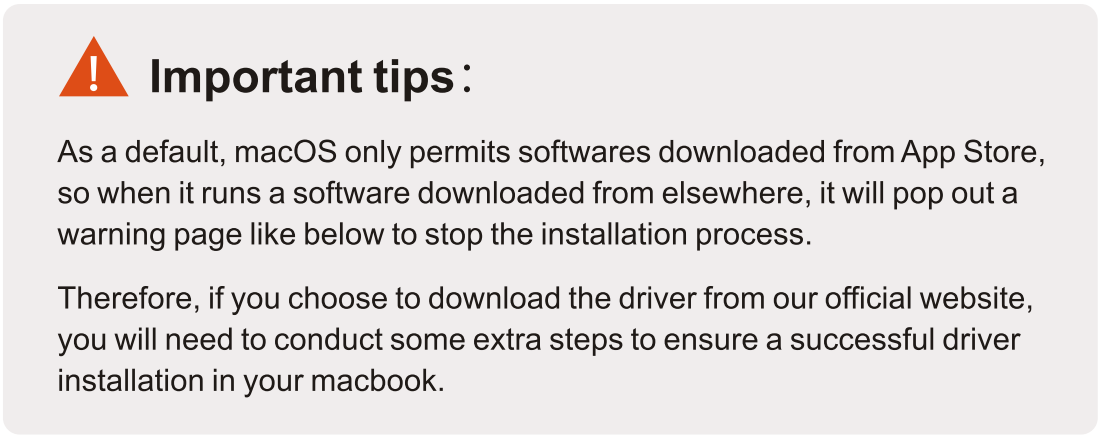
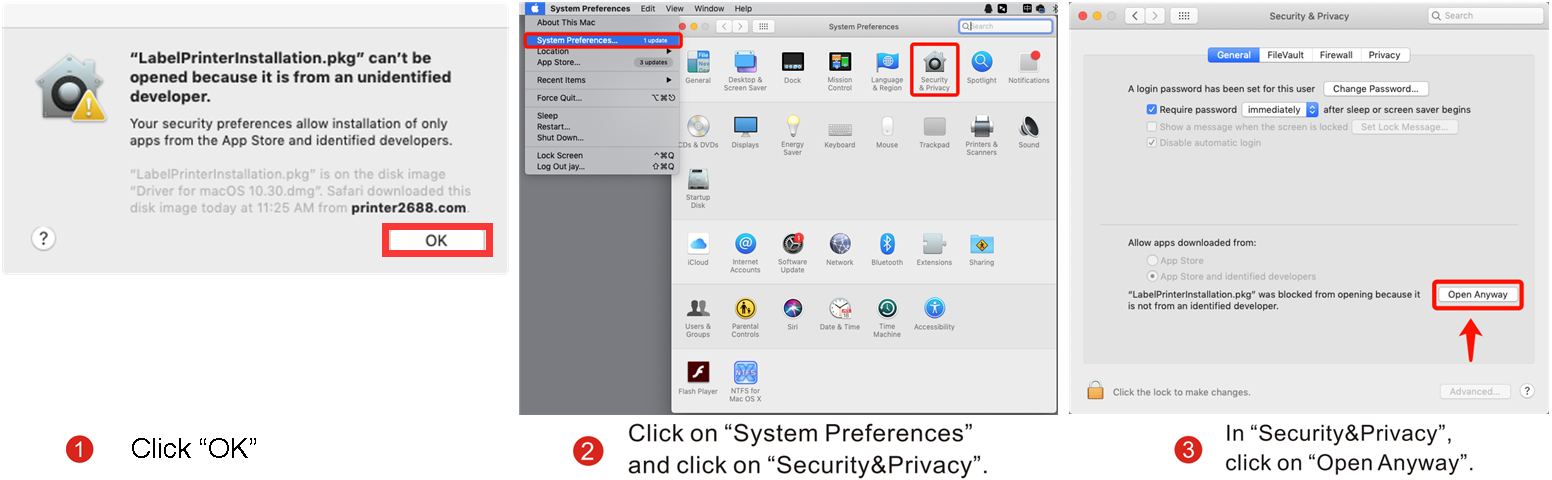
Follow the below steps to finish the driver installation successfully.

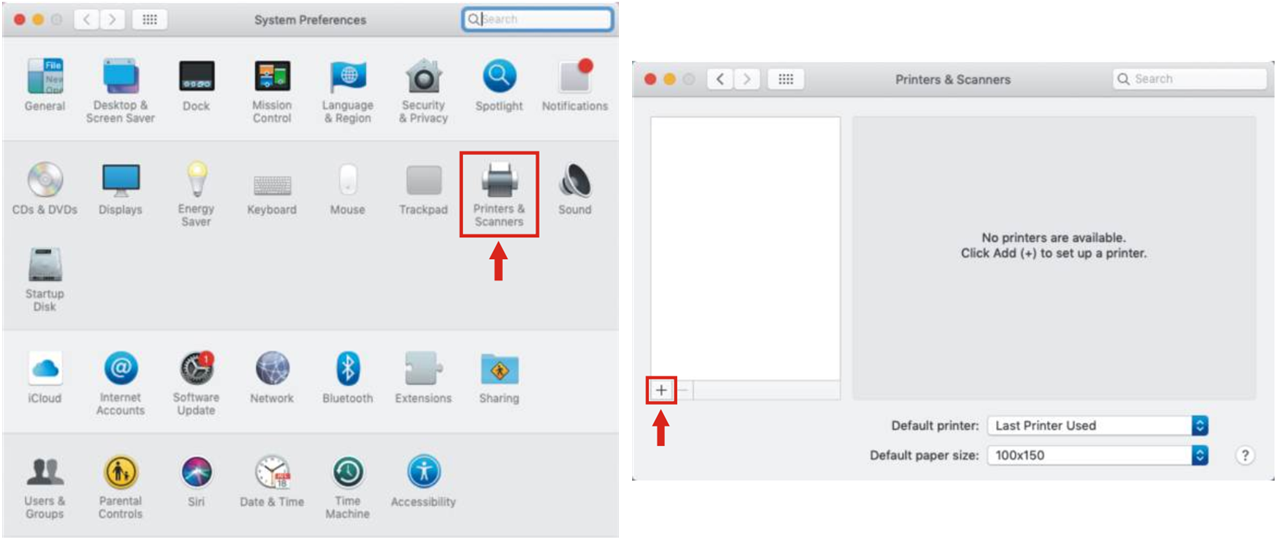
Step 3: Mac Add Printer Network IP Address
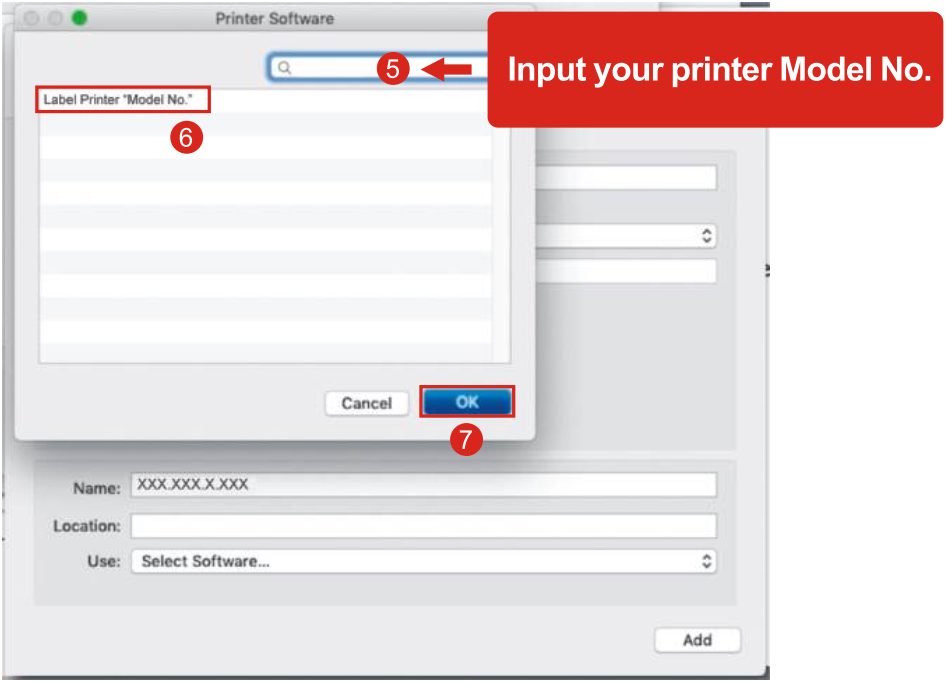
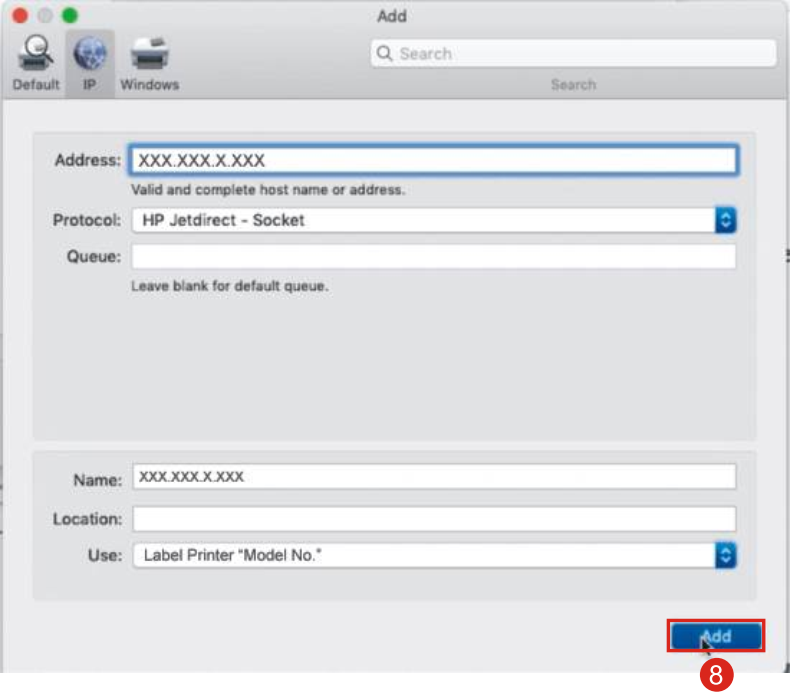
(1) Click on"System Preferences" and click on"Printers &Scanners”,Click on"+".
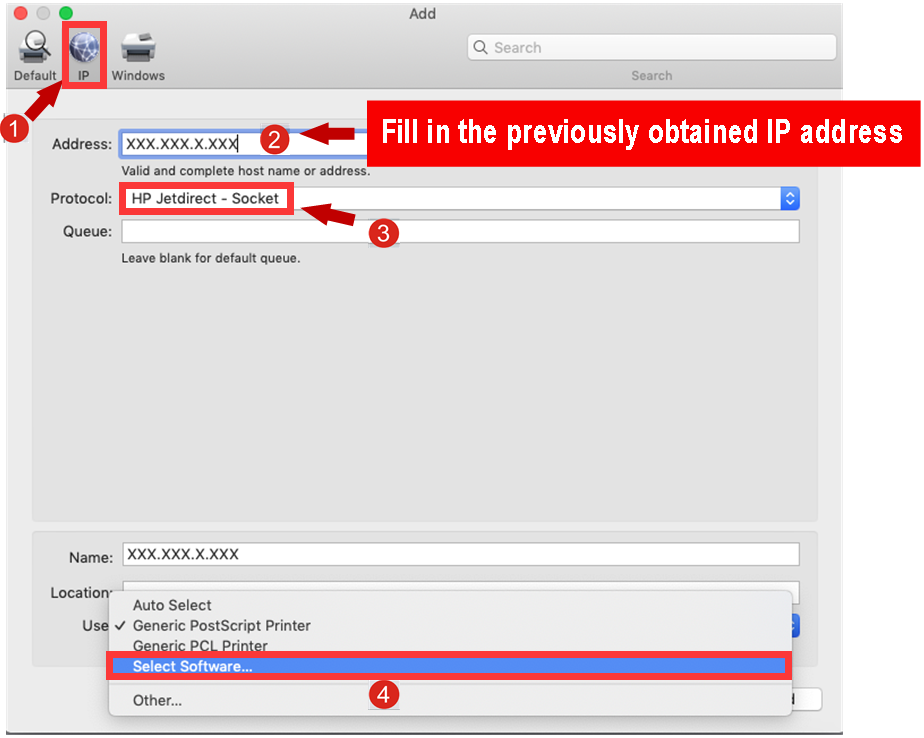
(2)Follow the steps to finish the lP configuration.
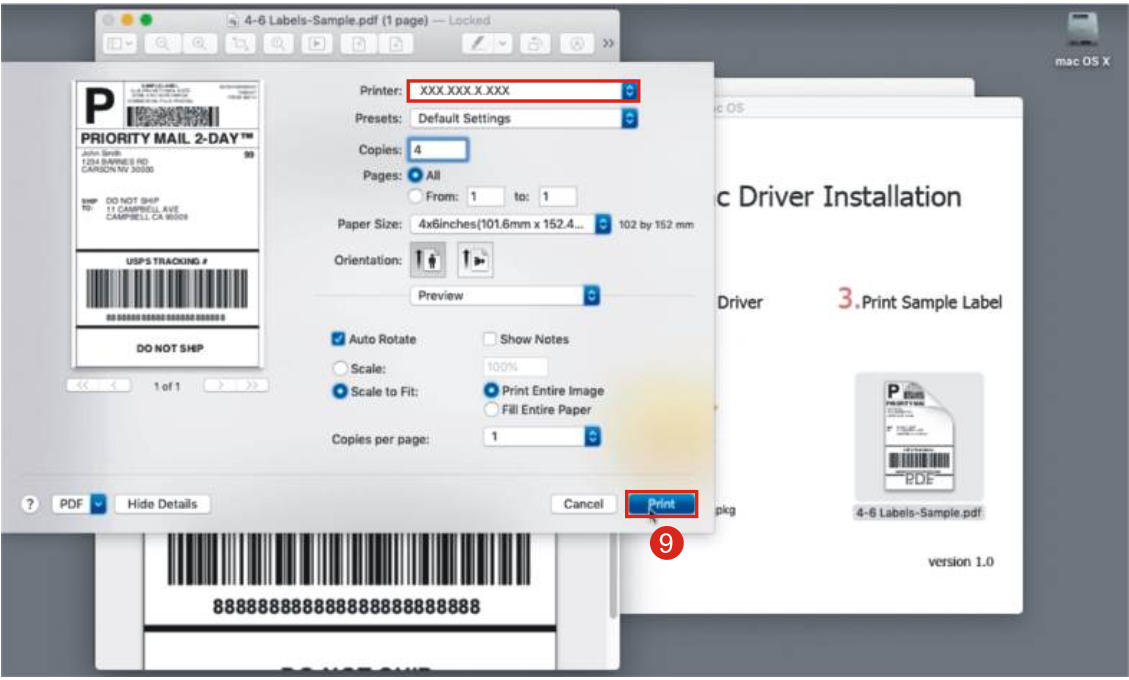
Open the file you want to print and click on【Print】 .