Printing PDF files correctly on mobile phones
2024-12-30 16:02:27
Example of Printing PDF Documents with 4 * 6 Labels on a Mobile Phone.
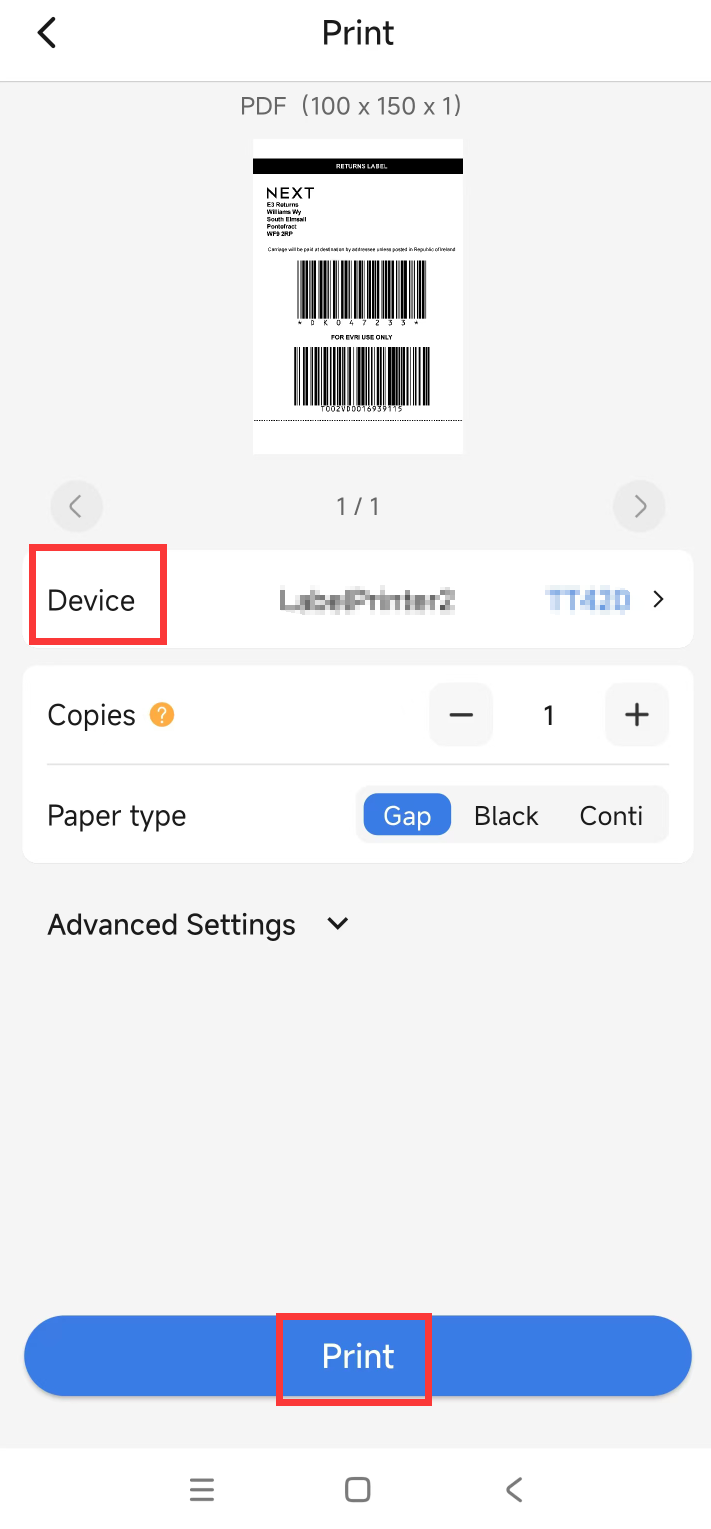
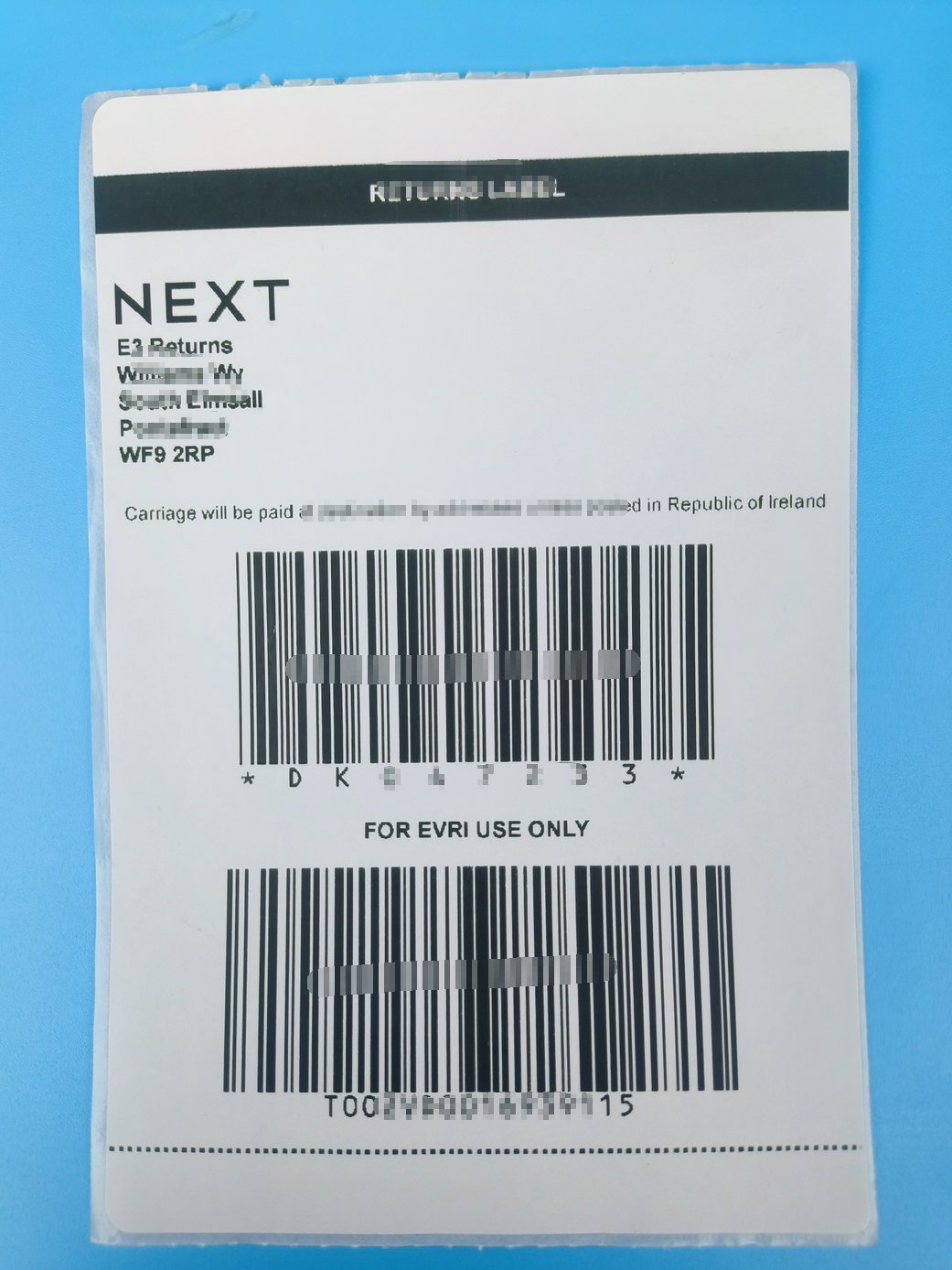
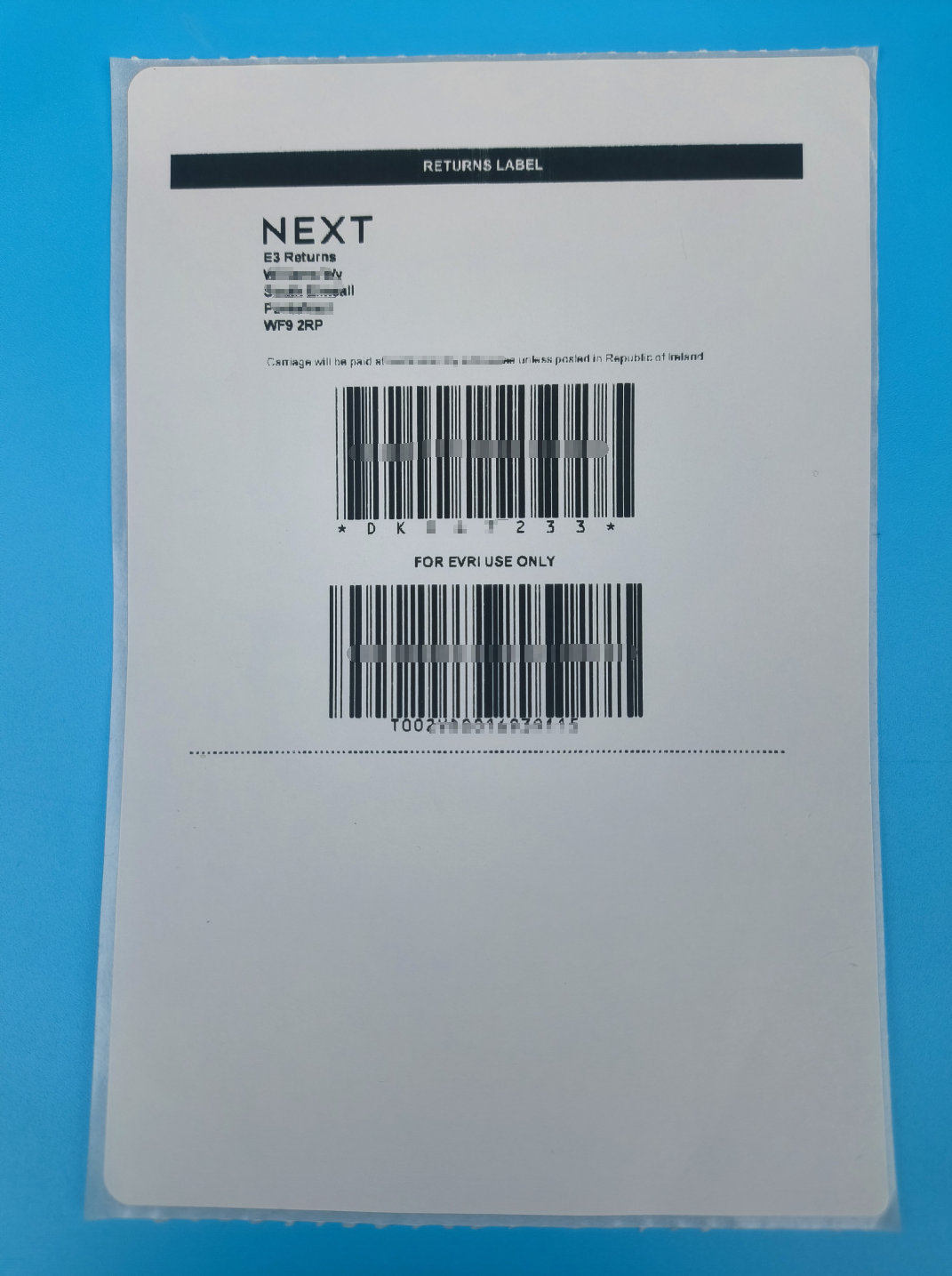
Due to the blank space around the content of the PDF document, the printed content is incomplete.
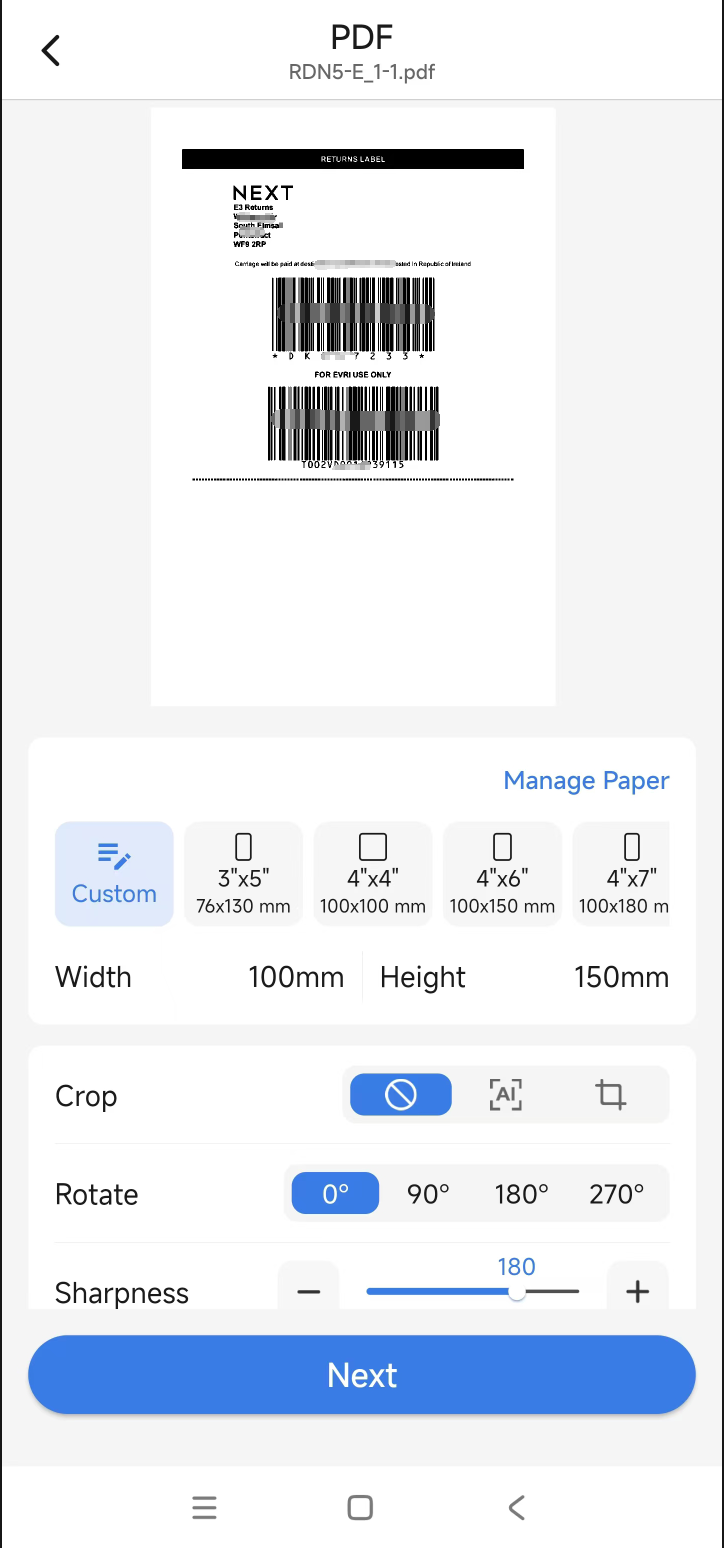
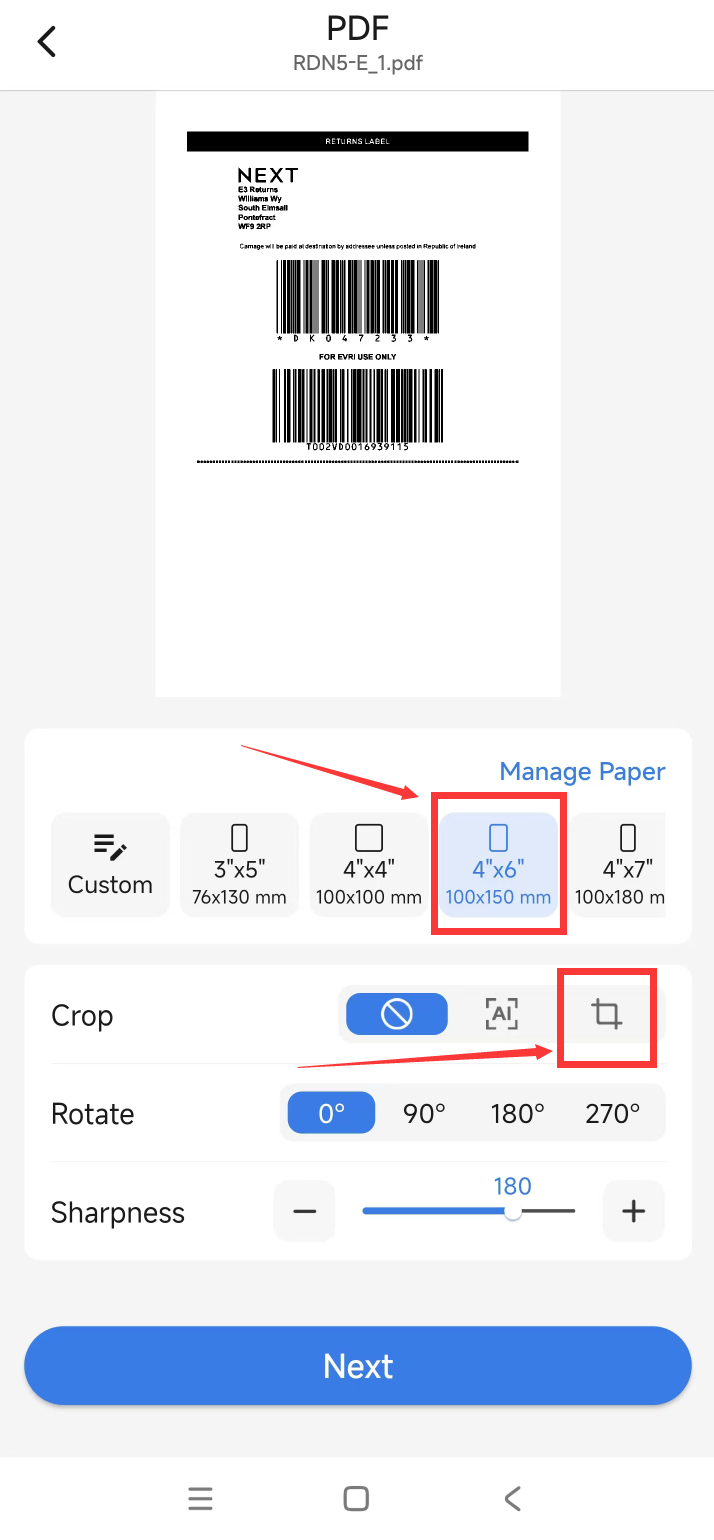
(1)Choose 4 * 6 size,Select Cut,Enter the cutting interface.
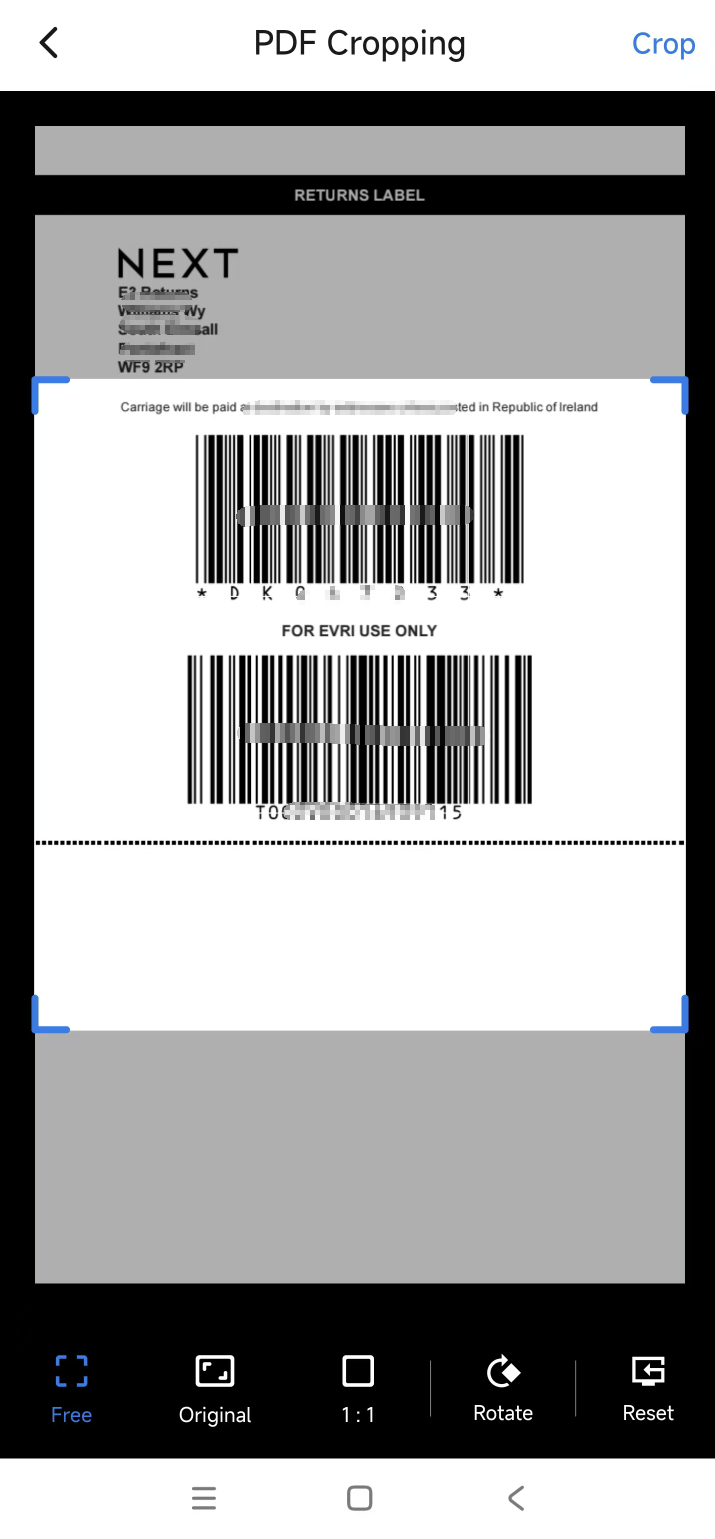
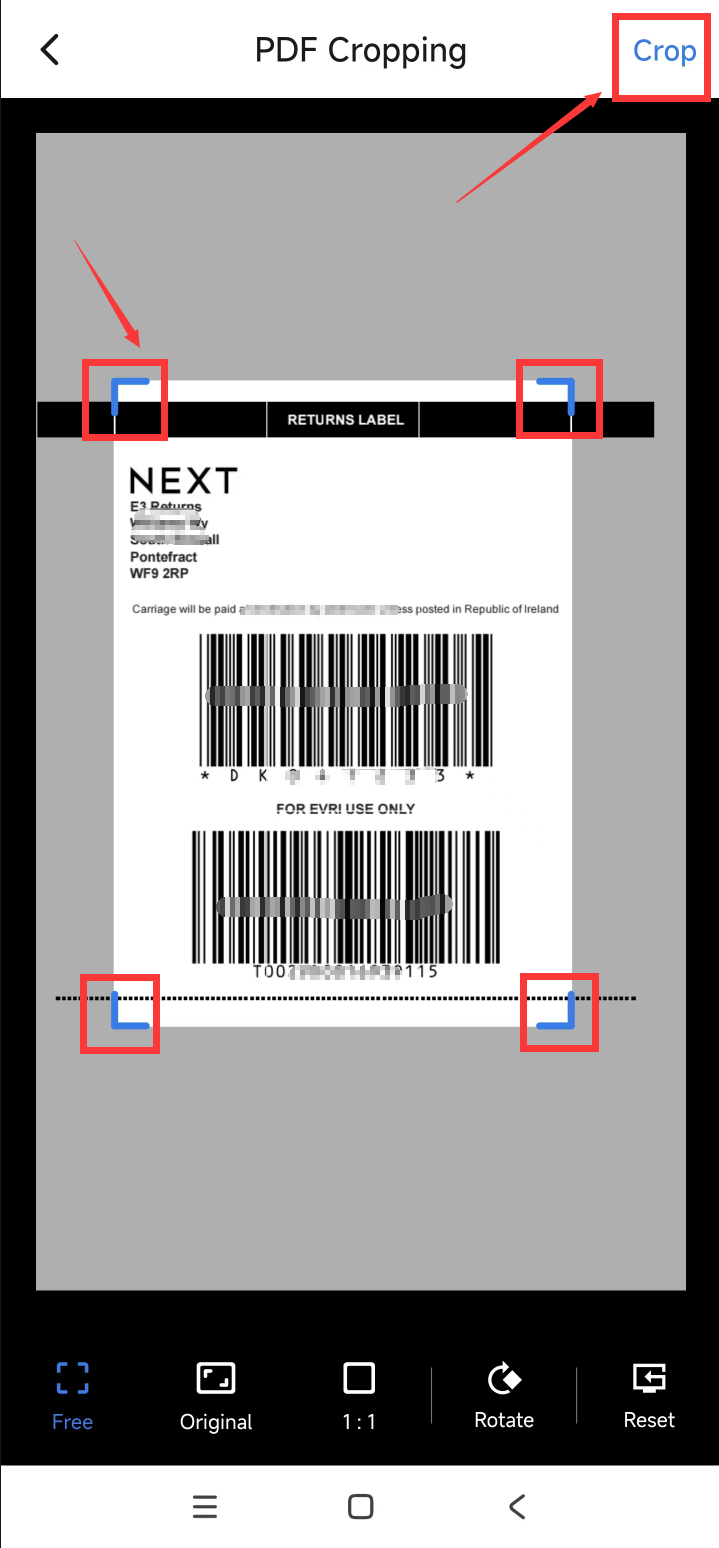
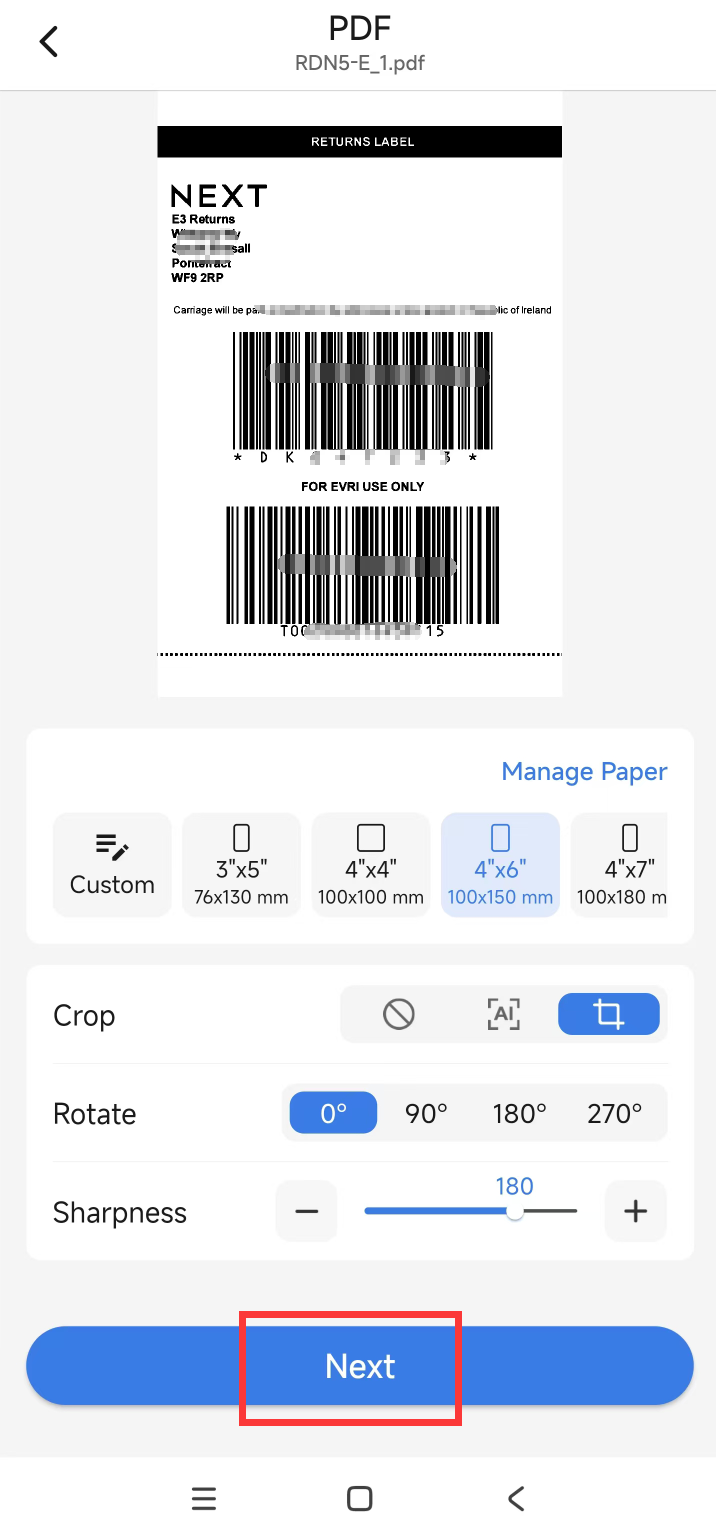
(2)Move the four borders, adjust the content to the appropriate size,click "Crop" ,click "Next".
(3)Select the device and click Print.